Best BI Tools with Semantic Layers: A Fact-Based Comparison (2026)
A structured evaluation of BI tools with native semantic layers, comparing metric expressiveness, governance, AI readiness, and self-service enablement.
LAST UPDATED September 17, 2026
AUTHOR  Huy Nguyen
Huy Nguyen Most BI guides exist to game search engines. Not this one. Here's a fact-based, methodical breakdown of BI tools with semantic layers you can actually use.
Our approach:
- Facts are prioritized over opinions, no recommendations pushed
- Details are backed by official documentation
- High-level criteria are broken down into specific, measurable sub-points
- Findings are presented in clear, comparable tables
- Linking to real-world discussions from actual users
We understand we might come across as biased, since we're also a vendor selling BI with a semantic layer. Rather than claiming neutrality, we'll let the content below speak for itself.
Found an inaccuracy or want your tool added? Use this form.
Why this guide focuses on BI-native semantic layers
This guide compares only BI tools with a built-in semantic layer (Holistics, Looker, Omni, Lightdash, Power BI, Tableau, Thoughtspot) because they let business teams model metrics and explore them in one governed environment, without stitching a separate modeling tool onto a visualization layer. Standalone, headless, and warehouse-native semantic layers solve a different problem and are out of scope here. For the full landscape of semantic layer tools across every category, see our complete guide to semantic layer tools.


Feature-by-Feature Comparison Table
Scroll to the right to see more
| Dimension |  Holistics Holistics |  Looker Looker |  Omni Omni |  Lightdash Lightdash |  Power BI Power BI |  Tableau Tableau |  Thoughtspot Thoughtspot |
|---|---|---|---|---|---|---|---|
| Pricing Structure Learn more Pricing model and estimated costs for teams adopting the tool. | |||||||
| | Per-User (Flat) Every user gets full platform access at one rate. No role-based tier discrimination between developers, standard users, and viewers. source | Contact Sales (Edition-Based) Looker offers Standard, Enterprise, and Embed editions. Per-user pricing by role (Developer, Standard, Viewer), specific rates are no longer published publicly. All plans require contacting sales. source | Custom Pricing Omni does not publish pricing. Contact sales for quotes. | Flat (Unlimited Users) Cloud Pro plan at $3,000/month with unlimited users. Open-source self-hosted option available for free. Enterprise: custom pricing. source | Per-User + Fabric Capacity Pro: $14/user/month. Premium Per User: $24/user/month. Fabric Capacity: variable pricing (replaces legacy Premium Capacity). source | Per-User (Role + Edition) Standard Edition: Creator $75/mo, Explorer $42/mo, Viewer $15/mo. Enterprise Edition: Creator $115/mo, Explorer $70/mo, Viewer $35/mo. Tableau Next: from $40/user/month. Tableau+: contact sales. source | Per-User or Per-Query Essentials: $25/user/month. Pro: $50/user/month or $0.10/query. Enterprise: custom. source |
| | $800+/month Entry plan starts at $800/month (annual) for 10 users, $12.50/month per additional user. Standard plan at $1,000/month (annual) with additional features. source | Contact Sales Pricing not publicly available. Reports suggest enterprise-level pricing. | $3,000/month (Cloud Pro) Cloud Pro: $3,000/month with unlimited users. Open-source self-host available for free. Enterprise: custom pricing. source | $14+/user/month Pro plan starts at $14/user/month (paid yearly). Often bundled with Microsoft 365 E5 licenses. Semantic model features require Pro or Premium. Fabric Capacity pricing is variable (contact sales). source | $75+/user/month (Standard Creator) Standard Edition Creator license at $75/user/month required for semantic modeling. Enterprise Edition starts at $115/user/month (Creator). Tableau Next and Agentforce features require Tableau+ or Tableau Next subscription. source | $25+/user/month Essentials starts at $25/user/month (5-50 users, 25M rows). Developer plan free for 1 year (up to 10 users). source | |
| Semantic Modeling Approach Learn more How the semantic layer defines metrics, dimensions, and business logic. The modeling approach determines how maintainable, reusable, and expressive the semantic layer is over time. | |||||||
| | AML + AQL AML (Analytics Modeling Language) for data models, relationships, and dimensions. AQL (Analytics Query Language) for composable metrics. AQL is a higher-level abstraction than SQL, metrics are full-fledged queries that can contain aggregation, joins, group-by, and filtering while remaining dynamic and reusable. source 1 , source 2 | LookML LookML (Looker Modeling Language) defines dimensions, measures, relationships, and Explores. Proprietary to Looker. Measures are SQL fragments injected into generated queries. source | Omni Modeling (YAML) Layered model: schema model (mirrors raw database), shared model (governed global definitions), workbook model (ad hoc extensions). Defined in YAML via Model IDE. Fields can be promoted from workbook to shared model. source | DAX (Data Analysis Expressions) Measures defined using DAX in Power BI Desktop. DAX is a formula language similar to Excel functions but designed for data models. Powerful but steep learning curve. source | Tableau Semantics (Tableau Next) Semantic models built via the Semantic Model Builder in Tableau Next / Data 360. Metrics defined as measures over time. Calculations use Tableau's calculation language. source | ||
| | Code-First + GUI Models, metrics, and dashboards defined as code in AML. Full IDE-like development environment with autocomplete, syntax highlighting, and debugging. Business users interact through GUI exploration. source | Code-First All modeling is done in LookML code files. No GUI model builder. Requires LookML developers to maintain the semantic layer. source | Code + GUI Hybrid Model IDE for code-based definitions. Workbook-level fields can be created in the GUI and promoted to the governed shared model. Three-layer architecture supports both approaches. source | Code-First (dbt YAML) All definitions written in YAML alongside dbt models. Version-controlled in Git through the dbt project. No GUI model builder. source | GUI-Based Semantic Model Builder is entirely visual. No code-based definitions, no YAML, no version-controllable files. Models built in Tableau Cloud or Tableau Next. source | GUI-First + TML Models created through the GUI. TML provides a YAML-like code representation for export/import, but most modeling is GUI-driven. SpotterModel adds AI-assisted modeling. source | |
| | Native Composability AQL metrics can reference other metrics and be combined like building blocks. Pipe operator chains operations (filter → aggregate → compare → rank). Metrics can contain nested aggregations, cross-model references, and Level of Detail calculations. source | Limited Aggregate measures (sum, average, count, etc.) cannot reference other measures in LookML. Non-aggregate measures (type: number) and special types (percent_of_previous, percent_of_total) can reference other measures. Complex multi-step metrics still require derived tables. This is the main composability limitation. source | Moderate Workbook-level calculations can reference shared model fields. SQL-based custom fields support some composition. Full nested metric composition details require further investigation. source | Limited (Layered) Three-tier system: aggregate metrics reference dimensions only; non-aggregate metrics reference aggregate metrics only; post-calculation metrics reference other metrics only. No free-form composition. Cannot nest aggregations. source | Strong (DAX) DAX supports nested CALCULATE, ALL, FILTER, and iterator functions. Can express complex calculations including cross-grain ratios and context modifications. However, complexity grows quickly with advanced patterns. source | Limited Calculated fields support formulas and table calculations. However, calculated fields live in workbooks, not a centralized governed layer. Table calculations are ephemeral and not reusable. source | Moderate Formulas in Models can reference other non-aggregate formulas (nested formulas). However, ThoughtSpot does not support nesting aggregate formulas or nesting group_aggregate functions. Complex multi-step aggregations require pre-computation in the source data. source |
| | Define Once, Use Everywhere Metrics defined in models or datasets are reusable across all reports, dashboards, embedded analytics, and AI queries. Same metric produces consistent results regardless of context. source | Reusable Within Explores Measures defined in LookML views are reusable across Explores that include that view. However, LookML dashboards and user-defined dashboards are split into separate systems. source | Shared Model Reuse Metrics in the shared model are reusable across all workbooks. Workbook-level metrics are local unless promoted. source | Define Once, Use Everywhere Metrics defined in YAML are reusable across explorations, dashboards, AI queries, API, and Python SDK. source | Model-Specific DAX measures are defined within a specific semantic model (.pbix file). Not shared across models or tools. Other tools cannot natively consume Power BI measures. source | Workbook-Level Calculated fields are defined per workbook. Tableau Semantics (Tableau Next) introduces reusable semantic models, but this is a new capability still maturing. source | Model-Level Reuse Formulas and columns defined in a Model are reusable across all Liveboards and Answers that use that Model. Multiple Models can be created for different use cases. source |
| Metric Expressiveness Learn more The variety of analytical questions the semantic layer can answer natively, without requiring derived tables, pre-computation in a transformation layer, or workarounds in the report layer. Most conventional semantic layers handle lookup and slice-and-dice queries (the OLAP equivalents). The real differentiation is in whether the layer can handle nested aggregations, period-over-period comparisons, cross-grain ratios, and multi-step calculations natively. When the semantic layer cannot answer a question, logic leaks into derived tables, dashboard formulas, or analyst workarounds. This is "semantic leakage", the governed layer loses its authority as the single source of truth. | |||||||
| | Native (AQL) AQL pipe operator supports inline filtering: count(orders.id) | where(orders.status == 'completed'). Filters are part of the metric definition and apply automatically in all contexts. source | Native (LookML) LookML measures support sql_where and filters parameters. Filtered measures are a core LookML capability. source | Native (YAML Filters) Aggregate metrics support YAML-based filters on dimensions. Define filtered metrics directly in the dbt project. source | Native (CALCULATE) DAX CALCULATE function modifies filter context for any measure. Core DAX capability. source | Calculated Fields IF/CASE statements in calculated fields. LOD expressions for context-specific filtering. Calculated fields live in workbooks. source | Formula Filters TML formulas support conditional filtering. Models can define filtered columns and metrics. source | |
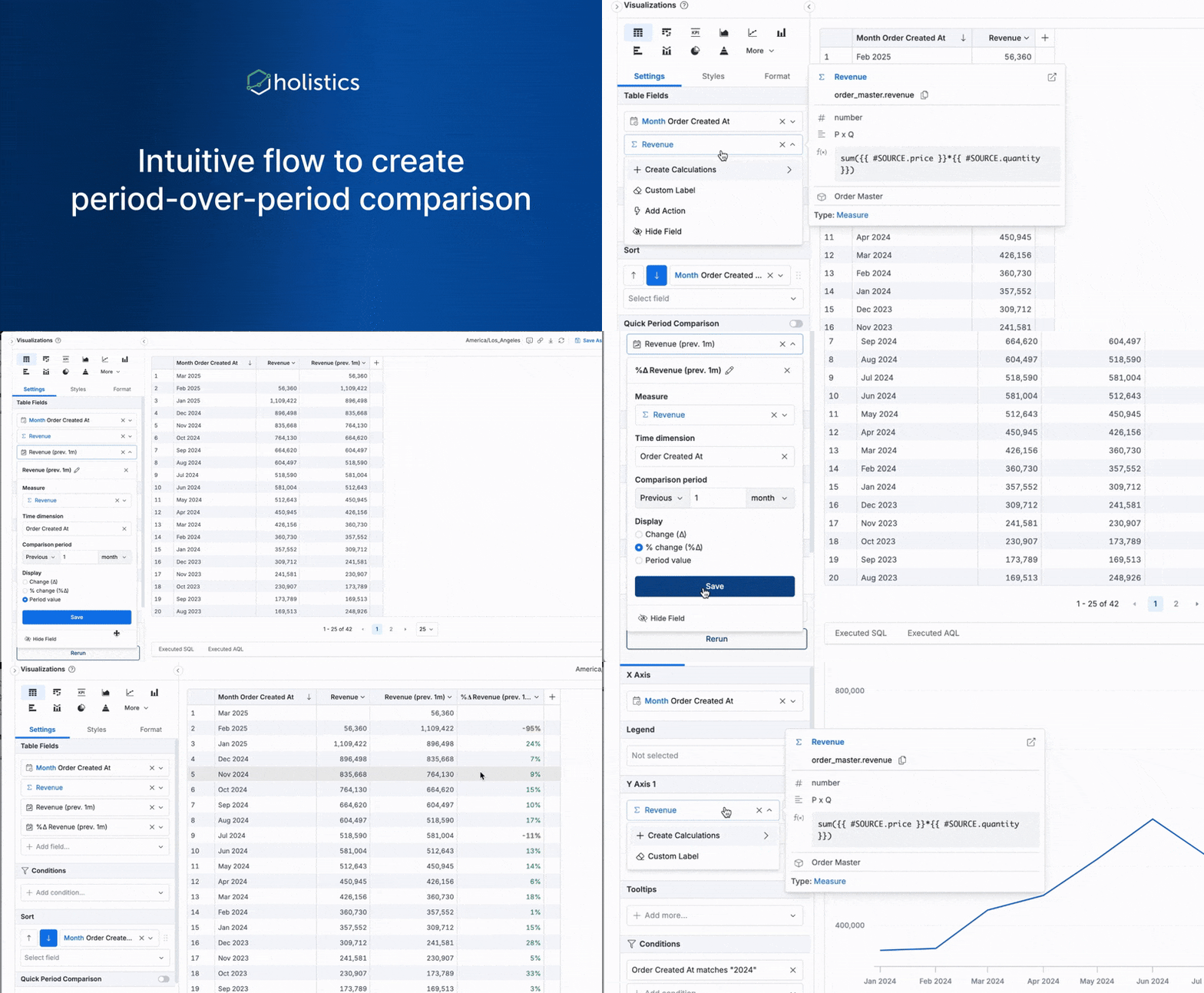
| | Native (AQL)  AQL supports period-over-period comparisons as first-class operations. Available as 1-click functions in the exploration UI and as composable AQL expressions in metric definitions. source | Native (LookML) Looker introduced native period-over-period measures (type: period_over_period) in LookML, reaching GA in Looker 25.14 (August 2025). Previously required derived tables or table calculations. source | Exploration-Level Period-over-period available as an exploration feature. Not natively defined in the semantic model as a reusable metric pattern. source | Pre-Computation Required No native period-over-period metric type. percent_of_previous is row-based only (previous row, not previous period). Workaround: pre-compute lag dimensions in dbt SQL. source | Native (DAX Time Intelligence) DAX time intelligence functions (SAMEPERIODLASTYEAR, DATEADD, PARALLELPERIOD) natively support period-over-period comparisons. source | Table Calculations LOOKUP, DATEADD, and quick table calculations support period-over-period. These are report-level calculations, not governed semantic definitions. source | Supported (Semi-Additive) Semi-additive measures (last_value_in_period, first_value_in_period) and date functions enable period-over-period comparisons within Models. source |
| | Native (AQL)  AQL natively expresses nested aggregations like "average of (count by category)." Example: avg(sales | group(sales.category) | select(count(sales.id))). No derived tables required. source | Derived Table Required Aggregate LookML measures cannot reference other aggregate measures. "Average of (count by category)" requires a derived table that pre-computes the inner aggregation. Non-aggregate type: number measures can reference other measures, but cannot nest aggregations. This is the primary semantic ceiling in Looker. source | Not Supported Natively Aggregate metrics can only reference dimensions. "Average of (count by category)" is not expressible in the semantic layer. Workaround: pre-compute in dbt SQL as a derived table. source | LOD Expressions (Partial) LOD expressions (FIXED, INCLUDE, EXCLUDE) enable some cross-grain calculations. However, nesting multiple LODs or combining with table calculations becomes complex and fragile. source | Partial (Non-Aggregate Only) ThoughtSpot supports nested formulas, a formula can reference another formula. However, nesting aggregate formulas (aggregation referencing another aggregation) is explicitly not supported. Nested group_aggregate functions are also not supported. Complex nested aggregations require pre-computation in the source data. source | ||
| | Native (of_all / LoD)  AQL of_all() operator calculates metrics at a different grain than the report. Example: orders.total_orders / orders.total_orders | of_all(countries) gives "% of total" at any granularity. Level of Detail (LoD) calculations are built into AQL. source | Partial (Native + Workarounds) LookML offers native percent_of_total measure type for simple % of total calculations. More complex cross-grain ratios (different denominator granularity) require table calculations (ephemeral, not governed) or derived tables. source | Experimental (Limited) percent_of_total exists as an Experimental post-calculation metric, but only for simple total-of-result-set. True cross-grain ratios (different denominator granularity) require dbt pre-computation. Docs explicitly call this out as "The problem." source | Native (CALCULATE + ALL) DAX CALCULATE with ALL/ALLSELECTED modifiers enables cross-grain ratios. Example: DIVIDE([Sales], CALCULATE([Sales], ALL(Region))) for "% of total." source | LOD + Table Calculations FIXED LOD can calculate totals at a different grain. Example: SUM([Sales]) / {FIXED : SUM([Sales])} for "% of grand total." But these live in workbooks, not a centralized governed layer. source | Supported (Reaggregation) Grouping functions and "of" / "percentage of" keywords enable cross-grain ratios. Reaggregation allows computing measures at a different grain than the query. Example: group_aggregate(sum(revenue), {}, {}) for grand total denominator. source | |
| | Native (AQL) Running totals and moving averages are expressible as AQL metrics. Window-function equivalents work within the governed semantic layer. source | Derived Table Required Running totals and moving averages require derived tables with window functions. Cannot be expressed as standard LookML measures. source | Spreadsheet Functions Running totals available through spreadsheet-like calculations in workbooks. source | Experimental running_total is available as an Experimental post-calculation metric. Moving averages are not supported. Post-calculation metrics cannot use the filters YAML property. source | Native (DAX) Running totals via CALCULATE with date filters. Moving averages through AVERAGEX with DATESINPERIOD. Window functions expressible in DAX. source | Quick Table Calculations Running totals and moving averages available as quick table calculations. Ephemeral, not part of the semantic model, not reusable across dashboards. source | Supported (Cumulative Functions) Cumulative functions and moving functions are available for running totals and moving averages within the semantic layer. source |
| | Native (Pipe Operator) AQL pipe operator chains operations: filter → aggregate → compare → rank in a single metric definition. Metrics can reference other metrics freely. Multi-step calculations stay governed and auditable. source | Limited Measures cannot chain operations. Complex multi-step logic requires derived tables or custom SQL, moving logic outside the governed semantic layer. source | Limited (Three-Tier) Three-tier system constrains composition: aggregate metrics → non-aggregate metrics → post-calculation metrics. Each tier can only reference the tier below. No free-form chaining. source | Possible (Nested CALCULATE) Multi-step calculations achievable through nested CALCULATE and variable assignments (VAR/RETURN). Complexity grows quickly; readability degrades with advanced patterns. source | Limited Multi-step calculations require combining calculated fields, LODs, and table calculations. Logic scatters across multiple workbook objects. Not governed or centrally auditable. source | ||
| Governance & Version Control Learn more How metric definitions are controlled, reviewed, and audited. Strong governance ensures that the semantic layer remains the single source of truth as the organization scales. | |||||||
| | Native 2-Way Git  Full Git integration with branching, code review, merge workflows. All models, metrics, datasets, and dashboards version-controlled as code. source | Native Git LookML projects stored in Git repositories. Branch management and code review supported. source | Git Integration Git integration available for the shared model layer. Manage code-based definitions with version control. source | Native Git (via dbt) All definitions live in the dbt project's Git repository. Full branching, PR workflows, and version history inherited from dbt's Git workflow. source | Partial (Fabric Git) Fabric Git integration is GA for Azure DevOps and GitHub (requires Fabric capacity). However, semantic model support in Git integration remains in preview, and some model types (DirectLake, live connections to Analysis Services) are not yet supported. TMDL (Tabular Model Definition Language) is GA as the standard text-based format for semantic models. source | Not Available No Git integration. Tableau uses proprietary file formats. Semantic Model Builder is GUI-only with no code export. | TML Export/Import TML (ThoughtSpot Modeling Language) allows export/import of model definitions. Can be stored in Git, but not native 2-way integration. source |
| | Built-in CI/CD Dev/staging/production environments with automated deployment. PR workflows for metric changes. source | Supported Content validation, CI/CD pipelines, and deployment workflows available in Looker's development mode. source | Limited Shared model promotion workflows exist (workbook → shared). Full CI/CD pipeline details require further investigation. source | dbt CI/CD Inherits dbt's CI/CD workflows. Metric changes go through the same review process as dbt model changes. source | Limited Deployment pipelines available in Power BI Premium. Not as mature as Git-based CI/CD workflows. source | Not Available No CI/CD pipelines for semantic model changes. Models are managed through the Tableau Cloud GUI. | Limited TML-based workflows can be scripted. No built-in CI/CD for semantic model changes. source |
| | Code-Based Change History All changes tracked in Git. Who changed what, when, with full diff history and rollback capability. source | System Activity Logs Looker provides system activity logs for content and user actions. LookML changes tracked in Git. source | Model History Changes to the shared model are tracked. Workbook-level changes are local to the user. source | Git History Full Git history for all metric definitions. Who changed what, when, with diff tracking. source | Activity Logs Power BI Service provides activity logs for auditing. Limited change-level detail for DAX measure modifications. source | Salesforce Admin Tools Audit capabilities through Salesforce admin tools. No code-level diff tracking for semantic model changes. | System Logs ThoughtSpot provides system activity logs. TML changes tracked if stored in external Git. source |
| Self-Service Enablement Learn more How business users consume the semantic layer. A semantic layer that only analysts can use is not self-service. | |||||||
| | Drag-and-Drop + AI Chat Point-and-click exploration on governed datasets. AI-powered natural language querying against the semantic layer. Cross-filtering, drill-through, and date grain changes built in. source | Explore Interface Explore-based navigation. Users select dimensions and measures from pre-configured Explores. Governed but requires understanding of Explore structure. source | Workbook + Spreadsheet Workbook-based exploration with SQL and spreadsheet-like functions. Excel-familiar interface for business users. source | Explore Interface Explore-based navigation on dbt-defined metrics and dimensions. Simpler than Looker's Explores but less interactive. source | Report Builder + Q&A Visual report builder with drag-and-drop. Q&A natural language feature for basic questions. Copilot for AI-assisted analysis. source | Visual Analytics + Tableau Agent Industry-leading visual exploration. Ask Data (natural language). Tableau Agent for AI-assisted analysis. Strongest visualization flexibility. source | |
| | Table Calculations Table calculations provide some ad-hoc analytic functions. Period-over-period and percent-of-total require table calcs or custom LookML, not 1-click. source | Spreadsheet Functions Excel-like formulas for ad-hoc calculations. Pivot, filter, and group operations in the workbook. source | Limited Basic filtering, sorting, and grouping. Period-over-period and percent-of-total require Experimental post-calculation metrics. Not 1-click operations. source | Strong (via DAX) Quick measures, time intelligence, and rich visualization interactions. Requires DAX knowledge for advanced patterns. source | Strong (Visualization) Rich interaction: drill-down, cross-filtering, actions, parameters. Quick table calculations for common patterns. Best-in-class visual analytics. source | Search-Driven SpotIQ automated insights. AI-suggested searches. Drill-down and filtering on Liveboards. Less manual analytic function control than SQL-native tools. source | |
| | Self-Serve Report Builder Business users build reports from governed metrics using drag-and-drop. Canvas Dashboards for narrative-style layouts. source | Dashboard Builder Users can create dashboards from Explores. Split between user-defined and LookML dashboards. source | Workbook Dashboards Users build dashboards from workbook queries. Can promote to shared dashboards. source | Dashboard Builder Users can create dashboards from Explores. Growing feature set but less mature than established BI tools. source | Full Report Builder Full report and dashboard creation in Power BI Service and Desktop. Rich visualization library with custom visuals marketplace. source | Full Visual Builder Full dashboard and story creation. Most flexible visualization and layout options among all compared tools. source | Liveboards Pin Spotter answers to Liveboards. SpotterViz for AI-generated dashboards. Less manual dashboard building than traditional BI tools. source |
| AI Readiness Learn more How the semantic layer serves AI and LLM tools. A BI tool with a semantic layer outperforms one that relies on raw text-to-SQL, the AI passes intent to the semantic layer, which generates accurate SQL deterministically. But the semantic layer's expressiveness determines the ceiling of what AI can answer reliably. | |||||||
| | Semantic Layer (AQL) AI generates AQL queries against the governed semantic layer. Deterministic SQL generation from AQL. No raw text-to-SQL hallucination risk. source | Semantic Layer (LookML) Gemini queries the LookML semantic layer. AI-generated queries constrained by governed metric definitions. source | Semantic Layer AI queries the shared model layer. SQL generation grounded in semantic definitions. source | Semantic Layer (dbt Metrics) AI queries governed metrics defined in dbt YAML. Results constrained by the semantic layer. source | Semantic Model (DAX) Copilot queries the Power BI semantic model. Generates DAX queries and narrative visuals. source | Semantic Model (Tableau Next) Tableau Agent queries the semantic model. Agentforce integration for AI-assisted analysis. source | Models (Worksheets) Spotter queries governed Models. SQL generated against configured data sources. source |
| | LookML Parameters Gemini generates LookML parameters and Looker Studio charts. Conversational Analytics (GA) with Code Interpreter (Preview) for advanced analysis. source | SQL (Model-Aware) AI generates SQL informed by the semantic model. MCP Server available for external agent integration. source | SQL (Metric-Aware) AI generates SQL queries that reference dbt-defined metrics. Agent tags control which metrics AI can access. source | DAX Copilot generates DAX queries and measure descriptions. Limited to DAX expressiveness. source | Tableau Calculations Agent generates calculated fields and chart configurations. Limited to Tableau's calculation language. source | SQL (Model-Constrained) Spotter generates SQL constrained by Model definitions. GPT-powered intent understanding. source | |
| | MCP Server + API MCP Server for external AI agent integration (Claude, Cursor, Slack bots). REST API for programmatic access. source | Conversational Analytics API Conversational Analytics API serves as the agentic backend. Open SQL Interface for external tool access. source | MCP Server MCP Server for external AI agent integration. IDE plugins for developer workflows. source | MCP Server + API MCP Server and Python SDK for external integrations. source | Fabric Data Agents Standalone Copilot (preview) can query across semantic models. Fabric Data Agent integration for external access. source | Agentforce Agentforce (Salesforce ecosystem) for AI agent integration. API access through Salesforce platform. source | MCP Server (Add-On) MCP Server available as an add-on. REST API for programmatic access. source |
| Integration & Architecture Learn more How the semantic layer connects to the broader data stack. | |||||||
| | dbt Integration Import dbt models, surface dbt metadata in the BI layer. Use dbt for transformation and Holistics for semantic modeling and visualization. source | Limited Looker can consume dbt models as source tables but does not directly integrate with dbt's semantic layer. LookML is Looker's own modeling paradigm. source | dbt Semantic Layer Integration Omni integrates with the dbt Semantic Layer to query MetricFlow-defined metrics alongside Omni's own model. source | Native dbt Purpose-built for dbt. Connects directly to dbt projects. Metrics defined in dbt YAML files. source | Limited Can consume dbt-produced tables but no native dbt semantic layer integration. DAX is Power BI's own paradigm. | Tableau Semantics Connector Tableau Semantics connector allows connecting to external semantic models. Limited native dbt integration. source | dbt Semantic Layer Integration Analyst Studio integrates with dbt and Looker semantic layers for code-free exploration and reporting. source |
| | Full Embedded Support iframe embedding with SSO, JWT, dynamic data sources, row-level security, white-labeling, and unlimited viewers. Semantic layer serves both internal and embedded analytics. source | Embed SDK Advanced embedded analytics with Embed SDK. Programmatic iframe control. Embedded pricing: $100K-$1.77M+/year. source | Supported Embedded analytics available. Details on pricing and capabilities require further investigation. source | Limited Basic embedding capabilities. Not as mature as Holistics or Looker for embedded use cases. source | Power BI Embedded Full embedded analytics platform. Capacity-based pricing from $4,995/month. source | Tableau Embedded Embedded analytics via JavaScript API and iframe. Enterprise-level pricing. source | Embedded Analytics Embedded search and Liveboard analytics. Developer plan free for 1 year for embedded use cases. source |
Not All Semantic Layers Are Equal
Every tool in this comparison has a semantic layer. But the range of questions each layer can answer natively varies widely, and that difference matters more than it might appear, especially as AI becomes the primary interface for analytics.
Why this matters for AI-powered analytics
A BI tool with a semantic layer outperforms one that relies on raw text-to-SQL, both in efficiency and reliability.
When AI gets the user intent correct, it passes that intent to the semantic layer, which converts it to accurate SQL in a deterministic approach. The semantic layer already knows how to join tables, filter data, and calculate metrics. The AI does not need to guess.
Without a semantic layer, AI must generate SQL from scratch, guessing which tables to query, how to join them, and how to calculate the metric. "Revenue" might mean gross revenue in one query and net revenue in the next. Two users asking the same question get different numbers. This is the fundamental reliability problem with text-to-SQL approaches.
But here is the less obvious problem: the expressiveness of the semantic layer determines the ceiling of what AI can answer reliably. If the layer cannot express a question natively, AI either falls back to raw SQL (reintroducing hallucination risks) or returns nothing. The comparison table above shows where each tool's ceiling sits.
The semantic ceiling
Most conventional semantic layers handle a subset of analytical questions, typically the OLAP equivalents that involve lookup or slice-and-dice. These resonate strongly with end users familiar with pivot tables, and this is what most vendors show in demos: "Show me revenue by region," "Filter by Q1," "Break down by product category."
However, there is a non-trivial class of questions that conventional semantic layers cannot answer natively:
| Question type | Example | Why it's hard |
|---|---|---|
| Nested aggregations | "Average order value by category, then rank categories" | Requires aggregating, then aggregating the result, most layers only support one level |
| Period-over-period | "Revenue this month vs. last month, by region" | Requires comparing the same metric at two different time grains |
| Cross-grain ratios | "Each region's % of total revenue" | The denominator (total) is at a different granularity than the numerator (per-region) |
| Running totals | "Cumulative revenue over time" | Requires window-function equivalents in the semantic layer |
| Multi-step calculations | "Filter → aggregate → compare → rank in one metric" | Requires chaining operations that most layers only support as separate steps |
When a semantic layer hits this ceiling, three things happen:
- Data teams build derived tables: pre-computing the metric in a transformation layer (dbt, LookML derived tables), bypassing the semantic layer entirely
- End users run calculations at the data level: table calculations, spreadsheet exports, dashboard formulas instead of the governed layer
- Requests go back to analysts: the question becomes a ticket in the analyst queue
Semantic leakage
Semantic leakage is what happens when business logic escapes the governed semantic layer into ungoverned locations:
- Upstream into dbt models, derived tables, and near-duplicate transformations
- Downstream into dashboard formulas, table calculations, spreadsheets, and custom report code
- Side-channel into analyst memory and ad-hoc Slack clarification
Over time, metric definitions fork across these locations. Trust erodes. The semantic layer loses its authority as the single source of truth.
In the world of AI, semantic leakage compounds the problem. As end users ask increasingly sophisticated questions through AI interfaces, they will inevitably hit questions that conventional semantic layers can't answer natively. When that happens, AI falls back to generating text-to-SQL from scratch, reintroducing the hallucination and inconsistency risks that the semantic layer was supposed to eliminate.
To mitigate this, some vendors position AI/BI as "best suited for lookup questions." That framing avoids the conversation about semantic expressiveness, but it also caps the value AI can deliver.
How Holistics addresses this
The metrics-centric semantic layer of Holistics (AQL) answers a wider variety of self-service questions than what most conventional semantic layers currently handle. AQL is easier for both AI and humans to parse, understand, and debug because it operates at a higher level of abstraction than SQL, while remaining SQL-native.
AQL handles the full range of metric patterns natively (nested aggregations, period-over-period, cross-grain ratios, running totals, and multi-step compositions) without requiring derived tables or pre-computation. When AI generates AQL instead of SQL, it queries the governed semantic layer deterministically. The semantic ceiling is higher, so semantic leakage is lower, and AI can reliably answer a wider set of questions.
See the Metric Expressiveness rows in the comparison table above for a side-by-side breakdown. For a full analysis of why semantic layer expressiveness is the real differentiator, read Not all semantic layers are equal.
How To Evaluate BI Tools with Semantic Layers
We'll provide a detailed explanation of each evaluation criterion, including nuances you might overlook in the comparison table.
How should you evaluate semantic layer expressiveness?
Semantic layer expressiveness is the single most important evaluation dimension, and the one most often under-tested during PoC evaluations.
Most vendor demos show lookup queries: "Show me revenue by region." "Filter by Q1." These are the OLAP equivalents that every semantic layer handles. The real test is what happens when users ask follow-up questions that involve multi-step reasoning.
Test these patterns during evaluation:
- Filtered metrics: "Count of orders where status = completed." Can the metric embed its own filter, or does the filter live outside the metric definition?
- Period-over-period: "Revenue this month vs. last month, by product." Can this be expressed as a single governed metric, or does it require a derived table or table calculation?
- Nested aggregations: "Average order value by category" (where order value is itself a SUM). Can the semantic layer compose aggregations, or does the inner aggregation need pre-computation?
- Cross-grain ratios: "Each region's share of total revenue." Can the denominator operate at a different grain than the numerator without a workaround?
- Running totals and moving averages: Can these window-function equivalents be expressed in the semantic layer and reused across reports?
- Multi-step calculations: "Filter last 90 days → sum revenue by category → calculate % of total → rank top 5." Can this chain of operations live in one governed metric definition?
If any of these require derived tables, table calculations, or pre-computation in a transformation layer, that is the semantic ceiling for that tool. Everything beyond that ceiling becomes semantic leakage.
How should you evaluate semantic modeling approach?
The modeling language determines the long-term maintainability of your semantic layer.
Code-based vs. GUI: Code-based semantic layers (LookML, AML/AQL, dbt YAML) are version-controllable, reviewable, and testable. GUI-based layers (Power BI Desktop, Tableau Semantic Model Builder) are faster to set up but harder to govern at scale.
Composability: Can metrics reference other metrics? In Holistics AQL, a metric is a full-fledged query that can be composed with other metrics. In LookML, measures cannot reference other measures, complex logic requires derived tables. In Lightdash, a three-tier system constrains which metric types can reference which.
Reusability: "Define once, use everywhere" is the core promise. But verify: are metrics reusable across all dashboards, embedded analytics, API queries, and AI interactions? Or are they locked to specific reports or workbooks?
What governance capabilities matter for a semantic layer?
Governance determines whether the semantic layer remains authoritative as the organization scales.
Git integration is the clearest signal. Native 2-way Git with branching, code review, and merge workflows means metric changes go through the same review process as code changes. Holistics, Looker, and Lightdash (via dbt) all support this. Power BI and Tableau do not have native Git integration for semantic models.
CI/CD for metric definitions means changes are tested before deployment. This prevents broken metrics from reaching production dashboards.
Audit trails answer "who changed the revenue definition and when?", critical for regulated industries and for debugging metric discrepancies.
How does a semantic layer enable self-service?
A semantic layer that only analysts can use is not self-service. The evaluation should focus on how business users consume the governed metrics:
- Exploration interface: Can business users drag-and-drop governed metrics, filter, drill through, and change date grains without writing code?
- Built-in analytic functions: Are period-over-period comparisons, percent-of-total, and drill-through available as 1-click operations? Or do they require writing formulas?
- Report creation: Can business users create their own reports and dashboards from governed metrics, or are they limited to consuming pre-built dashboards?
The test: when a manager sees a dashboard and wants to know "why did this number change last week?", can they answer that within the tool, or do they need to file a ticket?
For a broader comparison of self-service capabilities across BI tools, see the self-service BI tools comparison.
What makes a semantic layer AI-ready?
AI readiness is determined by what the AI queries and what language it generates:
Does AI query the semantic layer (deterministic) or generate raw SQL (non-deterministic)? Tools where AI queries the semantic layer, such as Holistics (AQL), Looker (LookML), and ThoughtSpot (Models), produce more consistent results because the SQL generation is deterministic, governed by the metric definitions.
What language does the AI generate? Holistics AI generates AQL, which encodes analytical intent at a higher abstraction level than SQL. Looker Gemini generates LookML parameters. Power BI Copilot generates DAX. The abstraction level determines how reliably the AI can handle complex questions.
Can external AI agents query the semantic layer? MCP (Model Context Protocol) and API support determine whether your semantic layer can serve Claude, ChatGPT, custom Slack bots, or other AI agents. Holistics, Omni, Lightdash, and ThoughtSpot all offer MCP servers.
What happens when AI hits the semantic ceiling? This is the critical question. If AI asks a question the semantic layer can't answer, does it fall back to raw SQL (risky), return an error (safe but limiting), or handle it within the governed layer (ideal)? The expressiveness of the semantic layer directly determines how much AI can reliably do.
For a detailed comparison of how AI implementations perform across 10 platforms, see the AI BI tools comparison.
BI Tools with Semantic Layers: Detailed Profiles
1. Holistics: Metrics-Centric Semantic Layer (AML + AQL)
Holistics is a governed self-service BI platform built around a code-based semantic layer. It uses AML (Analytics Modeling Language) for data models and relationships, and AQL (Analytics Query Language) for composable metric definitions.
Semantic layer architecture: AQL is a higher-level abstraction than SQL, designed specifically as a metric definition language. A metric in AQL is a full-fledged query that can contain aggregation, joins, group-by, and filtering, while remaining dynamic and reusable across different contexts. The system translates AQL to optimized SQL at query time.
Metric expressiveness: AQL handles the full range of metric patterns natively:
- Nested aggregations:
avg(sales | group(sales.category) | select(count(sales.id))), no derived tables - Period-over-period: First-class AQL operations and 1-click UI functions
- Cross-grain ratios:
of_all()operator for Level of Detail calculations,orders.total / orders.total | of_all(countries) - Running totals and moving averages: Window-function equivalents in the semantic layer
- Multi-step compositions: Pipe operator chains filter → aggregate → compare → rank in one governed definition
Semantic ceiling: The widest among tools compared here. AQL was designed to avoid the ceiling that forces logic into derived tables. Metrics can compose freely, reference other metrics, and express multi-step analytical logic.
Governance: Native 2-way Git, CI/CD with dev/staging/production environments, PR workflows for metric changes. All models, metrics, datasets, and dashboards are version-controlled as code.
AI readiness: AI generates AQL (not SQL), querying the governed semantic layer deterministically. MCP Server for external AI agent integration.
Best fit: Data teams that want the expressiveness of SQL with the governance of a semantic layer. Organizations tired of managing derived tables for complex metrics. Teams at 50-500 person companies wanting Looker-grade governance without the overhead.
Limitations: Learning curve for teams new to code-based modeling. Visualization polish is functional, not Tableau-level. Some advanced patterns (role-playing dimensions) require extra modeling work.
2. Looker: LookML Semantic Layer
Looker is the enterprise BI platform that pioneered the semantic-layer-first approach. Its proprietary LookML modeling language defines dimensions, measures, and relationships centrally. Now part of Google Cloud.
Semantic layer architecture: LookML defines views (tables), dimensions, measures, and Explores (pre-configured exploration interfaces). Measures are SQL fragments injected into generated queries. Data teams write LookML; business users consume it through Explores.
Metric expressiveness: Strong for first-order metrics, dimensions cross-tabulated with measures. The semantic ceiling appears on complex patterns:
- Nested aggregations: Aggregate measures cannot reference other aggregate measures. Requires derived tables (pre-computed SQL subqueries). Non-aggregate
type: numbermeasures can reference other measures but cannot nest aggregations. - Period-over-period: Native
type: period_over_periodmeasures added in Looker 25.14 (GA August 2025). Previously required derived tables or table calculations. - Cross-grain ratios:
percent_of_totalmeasure type available natively. More complex cross-grain ratios may require table calculations or derived tables. - Running totals: Requires derived tables with window functions.
Semantic ceiling: Moderate. Has improved with native period-over-period support, but the ceiling is still hit when metrics need to compose aggregate-on-aggregate. The standard workaround (derived tables) moves logic outside the governed layer, creating semantic leakage.
Governance: Native Git integration. LookML projects are version-controlled with branching and code review. Strong governance for what the layer can express.
AI readiness: Gemini queries the LookML semantic layer. Conversational Analytics (GA) with Code Interpreter (Preview) for advanced analysis. LookML governs AI-generated queries.
Best fit: Large enterprises with dedicated LookML teams. Organizations in the Google Cloud ecosystem. Buyers who prioritize enterprise governance and procurement comfort.
Limitations: LookML maintenance is specialist-driven. Derived table sprawl for complex metrics. Enterprise pricing (contact sales; estimated $35K-$150K+/year). Self-service breaks on follow-up questions that exceed the semantic ceiling. SensorFlow migrated from Looker's LookML to Holistics' AQL in two weeks, citing faster modeling iteration as a key driver.
3. Omni Analytics: Layered Semantic Model
Omni is a modern BI platform built by former Looker product engineers. It features a three-layer modeling architecture designed to balance governance with analyst flexibility.
Semantic layer architecture: Three layers: schema model (mirrors raw database), shared model (governed global definitions), workbook model (ad hoc extensions). The shared model serves as the semantic layer. Metrics defined in workbooks can be promoted to the shared model after validation.
Metric expressiveness: Moderate. The shared model supports standard measures and dimensions. SQL custom fields and spreadsheet-like calculations in workbooks extend expressiveness. The promotion workflow (workbook → shared model) bridges ad hoc and governed analytics.
- Nested aggregations: Achievable through SQL custom fields, but relies on raw SQL rather than a higher-level abstraction.
- Period-over-period: Available as an exploration-level feature.
- Cross-grain ratios: Spreadsheet-like functions in workbooks.
Semantic ceiling: Moderate. The three-layer architecture is more flexible than pure LookML, but complex metric compositions still depend on SQL custom fields rather than a composable metric language.
Governance: Git integration for the shared model. Promotion workflows (workbook → shared) provide a review gate. Less mature than Looker or Holistics for full CI/CD.
AI readiness: AI assistant and MCP Server for external agent integration. AI queries grounded in the shared model definitions.
Best fit: Teams that want Looker-style governance with a more modern, flexible interface. Organizations where analysts and business users need to coexist in one tool. Teams evaluating modern data stack alternatives to Looker.
Limitations: Newer platform with a smaller ecosystem. Metric expressiveness depends on SQL skills rather than a dedicated metric language. Custom pricing (not publicly available).
4. Lightdash: dbt-Native Semantic Layer
Lightdash is an open-source BI tool that connects directly to dbt projects, using dbt's YAML definitions for metrics and dimensions. It is the most natural BI layer for teams that have invested in dbt for data transformation.
Semantic layer architecture: Metrics and dimensions defined in dbt YAML files using Lightdash-specific meta tags. Three metric types: aggregate metrics (reference dimensions), non-aggregate/derived metrics (reference aggregate metrics), and post-calculation metrics (Experimental, reference other metrics).
Metric expressiveness: The documentation is notably transparent about limitations:
- Nested aggregations: Not supported natively. "Aggregate metrics can only reference dimensions, not other metrics." Workaround: pre-compute in dbt SQL.
- Period-over-period: No native type.
percent_of_previousis row-based only. Workaround: pre-compute lag dimensions in dbt. - Cross-grain ratios:
percent_of_totalexists (Experimental) but only for simple total-of-result-set. True cross-grain ratios require dbt pre-computation. The docs explicitly describe this as "The problem." - Running totals:
running_totalavailable as Experimental post-calculation metric. Moving averages not supported.
Semantic ceiling: Moderate-to-low. The three-tier metric system constrains composition. Complex patterns consistently require falling back to dbt SQL, meaning the governed BI layer cannot express them and logic leaks into the transformation layer.
Governance: Full Git integration inherited from dbt. All metric definitions version-controlled in the dbt project. Strong governance for what the layer can express.
AI readiness: AI chat feature with agent access control tags. MCP Server and Python SDK. AI queries governed dbt-defined metrics.
Best fit: dbt-first data teams that want a BI layer extending their existing workflow. Teams where analytics engineers build all dashboards. Open-source flexibility and Git-native workflows.
Limitations: Requires dbt. Complex metrics require pre-computation in dbt SQL (semantic leakage by design). Post-calculation metrics are still Experimental. Business-user self-service is weaker than Looker or Holistics. Visualization and UI polish still maturing.
5. Power BI: DAX Semantic Model
Microsoft Power BI uses DAX (Data Analysis Expressions) as its measure language within the Tabular Model. It is the most widely adopted BI platform globally, deeply integrated with the Microsoft ecosystem.
Semantic layer architecture: Measures defined using DAX in Power BI Desktop (Windows-only). The semantic model includes tables, relationships, and DAX measures. Published to Power BI Service for consumption. DAX is a formula language similar to Excel but designed for data models.
Metric expressiveness: DAX is one of the most expressive measure languages available:
- Nested aggregations: AVERAGEX, SUMX, and other iterator functions handle nested patterns.
- Period-over-period: DAX time intelligence functions (SAMEPERIODLASTYEAR, DATEADD) are native and mature.
- Cross-grain ratios: CALCULATE with ALL/ALLSELECTED modifiers, core DAX pattern.
- Running totals: CALCULATE with date filter manipulation.
- Multi-step calculations: Nested CALCULATE and VAR/RETURN assignments.
Semantic ceiling: High expressiveness, but with trade-offs. DAX can express most patterns, but complexity grows quickly with advanced calculations. Readability degrades for multi-step logic. The model is locked to PBIX files, not shareable across tools.
Governance: Fabric Git integration is GA for Azure DevOps and GitHub (requires Fabric capacity), but semantic model support in Git remains in preview. TMDL (Tabular Model Definition Language) is GA as the standard text-based format for semantic models. Deployment pipelines available in Premium.
AI readiness: Copilot generates DAX queries. Fabric Data Agents for cross-model access. DAX provides good abstraction but is harder for AI to reason about than higher-level languages like AQL.
Best fit: Organizations deep in the Microsoft ecosystem. Teams where DAX expertise exists. Enterprise deployments bundled with Microsoft 365 E5.
Limitations: Windows-only for Desktop authoring. DAX learning curve is steep. Semantic model Git integration still in preview. Semantic model is not platform-wide, other tools cannot consume Power BI measures natively.
6. Tableau: Tableau Semantics (Tableau Next)
Tableau is the industry leader in data visualization. Its semantic layer capabilities have evolved through Tableau Catalog and are now being rebuilt through Tableau Next (built on Salesforce Data 360).
Semantic layer architecture: Tableau Semantics uses a GUI-based Semantic Model Builder in Tableau Next / Data 360. Metrics are "a streamlined way to track changes to a measure over time." The architecture is API-first, built on Salesforce's Data Cloud. Traditional Tableau uses calculated fields and LOD expressions in workbooks.
Metric expressiveness: Tableau's strength is visualization, not semantic modeling:
- Nested aggregations: LOD expressions (FIXED, INCLUDE, EXCLUDE) enable some cross-grain calculations but nesting multiple LODs becomes complex.
- Period-over-period: Quick table calculations and DATEADD functions. Report-level, not semantic model-level.
- Cross-grain ratios: FIXED LOD for "% of total." Lives in workbooks, not a centralized layer.
- Running totals: Quick table calculations (ephemeral, not governed).
Semantic ceiling: Moderate-to-low for the traditional product. Tableau Next's Semantic Model Builder is still maturing. Most complex calculations live in workbooks as calculated fields, not in a centralized governed layer.
Governance: No Git integration. GUI-based model builder. No code-based definitions for version control. Audit capabilities through Salesforce admin tools.
AI readiness: Tableau Agent with Agentforce (Salesforce ecosystem). Dashboard Narratives (Beta). Tightly coupled to Salesforce's AI platform.
Best fit: Teams where visualization quality is the top priority. Organizations in the Salesforce ecosystem. Enterprises with established Tableau deployments and Tableau-trained staff.
Limitations: No Git or code-based governance for semantic models. Calculated fields and LODs live in workbooks, not centrally governed. Tableau Next is new and still maturing. Enterprise pricing. Sets and disaggregated measures unavailable with semantic connector.
7. ThoughtSpot: Models + TML for Search-Driven Analytics
ThoughtSpot is built around natural language search. Users type questions and get instant visual answers. Its semantic layer is lighter than code-native tools, optimized for search-driven consumption rather than deep metric modeling.
Semantic layer architecture: Models (formerly Worksheets) define joins, columns, and formulas. ThoughtSpot Modeling Language (TML) provides a YAML-like code representation for export/import. SpotterModel (new) offers AI-assisted semantic modeling as an add-on.
Metric expressiveness: More capable than its search-first positioning suggests:
- Nested aggregations: Non-aggregate formulas can reference other formulas (nested formulas). However, nesting aggregate formulas (aggregation referencing another aggregation) and nested group_aggregate functions are explicitly not supported. Complex nested aggregations require pre-computation in the source data.
- Period-over-period: Supported via semi-additive measures (lastvalueinperiod, firstvalueinperiod) and date functions.
- Cross-grain ratios: Supported through grouping functions, "of" / "percentage of" keywords, and reaggregation (computing measures at a different grain than the query).
- Running totals: Supported via cumulative functions and moving functions.
Semantic ceiling: Moderate. ThoughtSpot's formula system supports reaggregation, cumulative functions, and semi-additive measures. However, nested aggregations are not supported, and formulas are GUI-defined (not code-based), making them harder to version-control, review, and compose compared to AQL or LookML. The modeling experience is closer to spreadsheet formulas than a declarative metric language.
Governance: TML enables export/import of model definitions (can be stored in Git externally). No native 2-way Git integration. SpotterModel adds AI-assisted modeling.
AI readiness: Spotter (GPT-powered) is the strongest natural language search interface in the market. Flexible LLM selection (Pro/Enterprise). MCP Server as add-on. The AI excels at translating intent to the semantic layer, but the layer's expressiveness limits what AI can answer.
Best fit: Organizations with many non-technical users who need ad-hoc answers via search. Enterprise teams where the primary use case is "answer quick questions" rather than complex metric modeling. Teams willing to pre-compute complex metrics in the warehouse.
Limitations: Light semantic layer compared to LookML, AQL, or DAX. Complex metrics require pre-computation outside the platform. Enterprise pricing. Git integration is external (TML export/import), not native.
Frequently asked questions
Why does a semantic layer matter for AI-powered analytics?
A BI tool with a semantic layer outperforms one that relies on raw text-to-SQL. When AI gets the user intent correct, it passes that intent to the semantic layer, which generates accurate SQL deterministically, with no hallucination risk on the SQL step. Without a semantic layer, AI must guess which tables, columns, and joins to use, producing inconsistent results.
What is the semantic ceiling?
The semantic ceiling is the point where a semantic layer stops answering questions natively and forces logic into workarounds: derived tables, table calculations, spreadsheet exports, or analyst tickets. Most conventional semantic layers handle simple slice-and-dice queries but hit this ceiling on nested aggregations, period-over-period comparisons, cross-grain ratios, and multi-step calculations.
What is semantic leakage?
Semantic leakage occurs when business logic that should live in the governed semantic layer escapes into upstream transformations (dbt derived tables), downstream formulas (dashboard calculations, spreadsheets), or analyst memory (Slack clarifications, ad-hoc queries). Over time, metric definitions fork across these locations, trust erodes, and the semantic layer loses its authority as the single source of truth.
Which BI tools have the most expressive semantic layers?
Among BI tools with native semantic layers, Holistics (AQL), Power BI (DAX), and ThoughtSpot (nested formulas + reaggregation) handle the widest variety of metric patterns natively, including nested aggregations, cross-grain ratios, and multi-step calculations. The key difference is governance: Holistics defines metrics as composable code (version-controlled in Git), DAX defines measures in desktop-authored models, and ThoughtSpot defines formulas through a GUI. Looker (LookML) and Lightdash (dbt YAML) handle simple-to-moderate patterns but require derived tables for complex calculations. Tableau's semantic layer (Tableau Next) is still maturing.